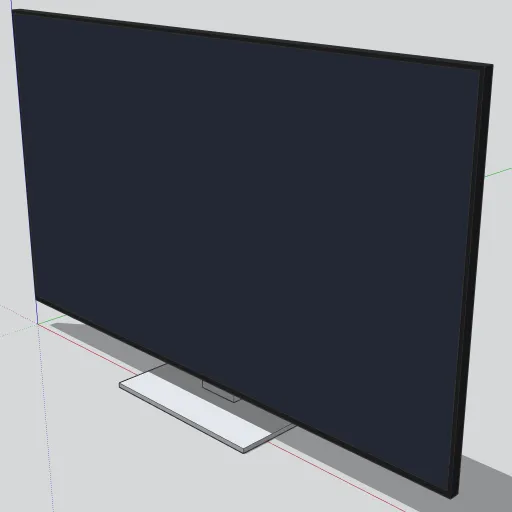
A 65 in flat-screen TV, sized like a typical current LED model. TVs are among the most searched items on 3D Warehouse, and this one is kept simple so it drops into living rooms, media walls and conference rooms without slowing your model down.
What’s in the model
- Panel: 57.1 in wide, 32.7 in tall and 1 in deep, with a black bezel about ⅜ in wide.
- Screen: a dark blue-gray face set just proud of the bezel, so you can paint it separately or swap in an image.
- Rear housing: a charcoal block 38 × 1.3 × 18 in on the back, which brings the total depth to 2.3 in.
- Pedestal stand: a silver neck behind the panel and a flat base 18 × 10 in. The bottom of the screen sits 3.1 in above the surface it stands on.
Each part is a separate solid group inside one component, and the whole model is 30 faces.
How to use it
- Download the .skp file, then use File → Import to add it to your model.
- The component origin is the bottom-left corner of the panel’s front face. Set it on a console or table top, and the base reaches 3 in in front of the screen.
- For a wall-mounted TV, open the component and delete the Stand_Neck and Stand_Base groups.
- To show a picture on the screen, open the component and paint the Screen group with an image texture.
Modeled by SketchUp Warehouse with AI assistance. Free to use in personal and commercial projects. Found a problem with the model? Tell us.