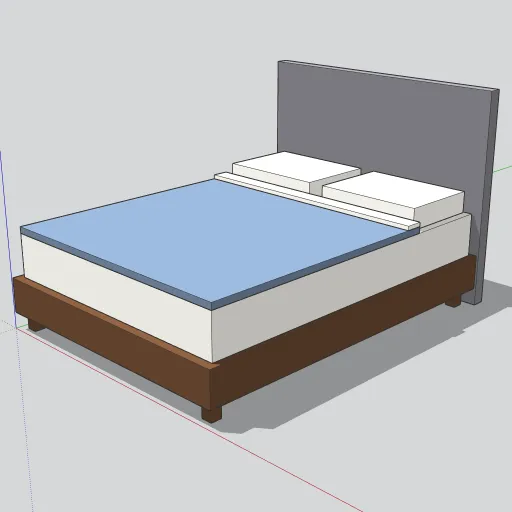
A queen platform bed, dressed and ready to drop into a bedroom layout. Beds are among the top searches on 3D Warehouse. This one stays simple and light, so it works for space planning, interior elevations and quick renders.
What’s in the model
- Platform frame: a walnut-colored platform, 63 × 83 in and 8 in deep, on four 2½ in square legs. The top of the platform is 12 in off the floor.
- Headboard: a grey upholstered panel, 64 in wide, 3 in thick and 50 in tall, standing on the floor behind the platform.
- Mattress: a standard 60 × 80 in queen mattress, 10 in thick, so the sleeping surface is 22 in high.
- Bedding: a slate-blue duvet over the lower three-quarters of the mattress, a turned-down white sheet, and two 26 × 19 in pillows.
Every part is a solid group. The legs and pillows are components, so editing one updates its copies.
How to use it
- Download the .skp file, then use File → Import to add it to your model.
- The component origin is the front-left corner of the frame at floor level, and the headboard is at the back. Push the headboard against a wall and you’re done.
- To match your scheme, open the component and repaint the Duvet, Headboard or Platform groups.
Modeled by SketchUp Warehouse with AI assistance. Free to use in personal and commercial projects. Found a problem with the model? Tell us.