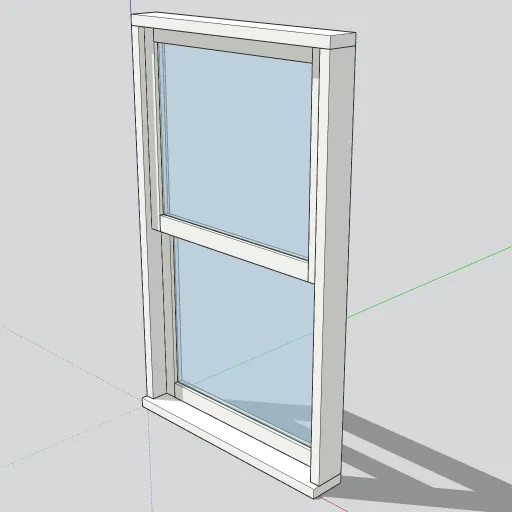
The first model in our free components library is a standard 36 × 60 in double-hung window, one of the most common residential window sizes. It’s free for personal and commercial projects.
Get it: download the .skp from our library, or open it on 3D Warehouse to load it straight into SketchUp.
What’s in the model
- Frame: a head, two jambs and a sill, each 1.5 in wide and 4.5 in deep. The sill projects 1 in past the exterior face.
- Two sashes: each is 33 in wide and 29¼ in tall and sits in its own track, overlapping 1½ in at the meeting rails like a real double-hung unit.
- Glass: a ¼ in clear pane in each sash, using a semi-transparent material.
Every part is a separate solid group, and both sashes are instances of one component, so editing one edits both.
Placing it in a wall
- Import the .skp with File → Import, or use the 3D Warehouse panel inside SketchUp.
- Cut a 36 × 60 in opening in your wall. The component origin is the exterior bottom-left corner of the frame.
- Snap that corner to the opening. The sill sticks out 1 in from the exterior face.
- To recolor the frame, open the component and use the Paint Bucket. Painting one sash paints both.
Because it’s a component, you can copy it into every opening on an elevation and keep the file light.
We add a new free model to the library three times a week. Browse all free components.