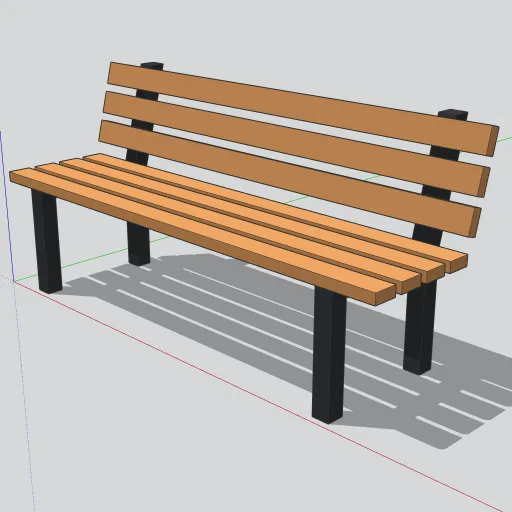
Benches are some of the most downloaded site elements on 3D Warehouse, and a good one gets placed dozens of times in a single site plan. This free 6 ft park bench is built from just three small components, so a whole promenade of them stays light. It’s free for personal and commercial projects.
Get it: download the .skp from our library, or open it on 3D Warehouse to load it straight into SketchUp.
What’s in the model
- End frames: two black cast-iron frames, 2½ in thick, set 6 in in from each end. Each has a front leg, a seat rail and a rear post that leans back about 15° to carry the backrest.
- Seat: four 72 × 3½ × 1½ in slats in a teak color, giving an 18 in seat height and about 17 in of seat depth.
- Backrest: three matching slats on the leaning posts. The bench stands 33 in tall overall, and the full size is 72 × 24.5 × 33 in.
Every part is a solid group.
Using it on a site plan
- Import the .skp with File → Import, or use the 3D Warehouse panel inside SketchUp.
- The origin is at ground level at the front-left corner, and the seat faces −Y, so it sits flat on paving and is easy to rotate toward a path.
- Copy it along a walkway with the Move tool and Ctrl (Option on Mac), then type a multiplier like
x8to array it. - To recolor the wood, open the component and paint one seat slat and one back slat. Every other slat follows.
We add a new free model to the library three times a week. Browse all free components.